Privacy policy and terms on your website
Verimly writes your privacy policy for you and keeps it current. You write your terms of service from a template. Both are linked in your website footer.
On this page
Guests expect a privacy policy and, when they order, book or buy a gift card, your conditions. Verimly writes the privacy policy automatically. For your terms of service you start from a template and adjust it.
Before you start
- You need the Organization settings permission. Owners have it.
- Policies are pages on your website. Guests see them once the website is online, see Publish your website.
- Open them under Website › Policies.
The privacy policy
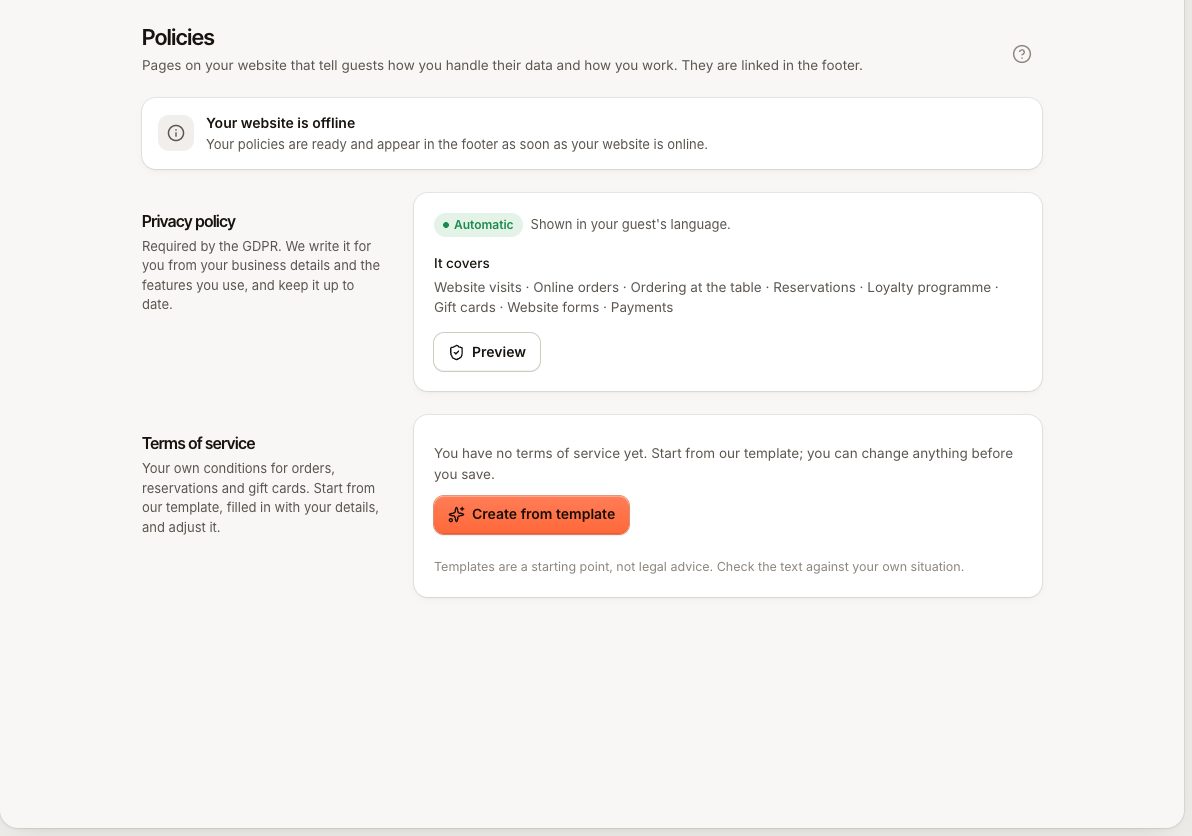
The privacy policy is automatic. You do not write or edit it. Verimly generates it from:
- your business details: the registered company name, company registration number and business address under Settings › General, and the contact email and phone you set in the website editor under Site › Contact
- the features you use. The policy covers Website visits, Online orders, Ordering at the table, Reservations, Loyalty programme, Gift cards, Website forms and Payments, each only when you use it.
When you turn a feature on or off, the text follows. It is shown in each guest's own language.
Website › Policies shows which details the policy still needs, under Complete these details for a complete privacy policy:
- Add your registered company name
- Add your company registration number
- Add your business address
- Add a contact email to your website (in the editor under Site › Contact)
Fill these in to make the policy complete. Preview shows the page, and View on website opens the live page.
Your terms of service
Your terms are your own conditions for orders, reservations and gift cards.
- Open Website › Policies.
- Under Terms of service, choose Create from template.
- Choose the Language of the template. Pick the language your guests read: the text is shown as written, it is not translated per visitor.
- Choose Use template. Verimly fills in your business details and adds the parts for the features you use.
- Edit the text. Start a line with
##for a heading, use**bold**,[link](https://…)and lines starting with-for lists. - Save.
Your terms go live as soon as you save them. They are not part of the website draft, so you do not need to publish. If you later choose Replace with template, your current text is replaced, but nothing changes on the website until you save.
The text can be up to 40,000 characters. A longer text is refused with POLICY_TOO_LONG and the message "Use at most {max} characters".
To remove your terms, empty the text and save. The terms page and its footer link disappear.
Where guests find them
Your website footer links to the privacy policy and, when you have written terms, to the terms. In the editor, the switch Privacy and terms links under Site › Footer shows or hides those links.
Common questions
Do I need to publish after changing my terms?
No. Terms go live when you save. The website itself still needs to be online for guests to see any page.
Can I edit the privacy policy text?
No. It is generated so that it stays in step with your features. Complete your business details if the policy shows gaps.
Which language is the privacy policy in?
The guest's language. Your terms are in the language of the text you wrote.
If something goes wrong
- Policies show but guests cannot open them: your website is offline. Publish it.
- The privacy policy lacks my company details: fill in the missing items listed on the Policies page.
- I cannot save my terms: the text is over 40,000 characters.