Share tips with tip pools
Split the tips of a period over your team by hours, equal shares, role weights or performance score, then lock the result and export it.
On this page
Tip pools take the tips recorded on payments in a period and divide them between the people who worked, using the hours from the time clock. You calculate a draft, check it, and lock it. Verimly records the final shares; it does not pay anyone, so you hand over the money yourself.
Before you start
- Plan and feature. Tip pools are part of the Pro plan and need the Time clock feature switched on, because hours come from clock-ins. Check Settings › Features. See Clock-in refused or hours wrong.
- Permission. You need Manage tip pools. Owners and managers have it.
- Hours. Staff must have clocked in on the POS during the period. A period where nobody clocked in cannot be calculated.
- Tips come from card and cash tips recorded on payments at that location. Both can be switched off in the settings.
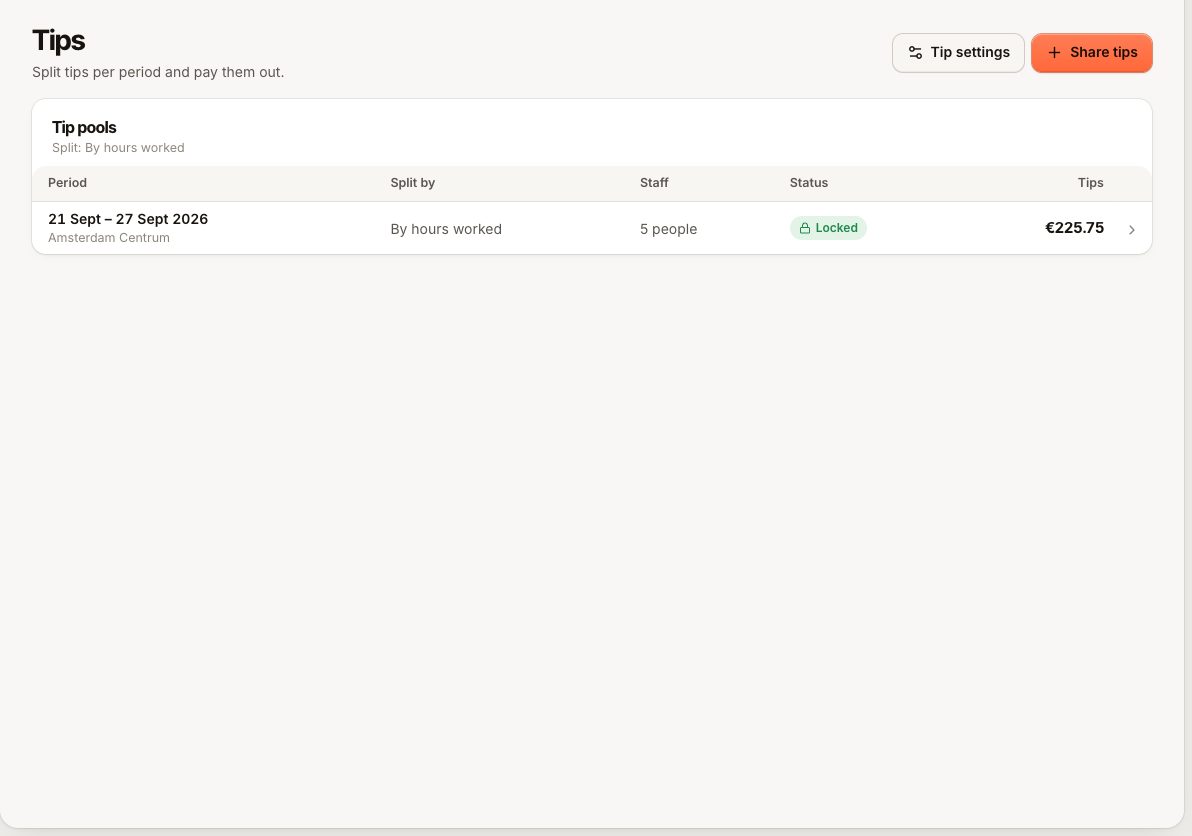
You will find tip pools under Staff › Tips.
Set the rules once
Go to Settings › Tips. Rules apply to all locations, or you can give a location its own set (Rules apply to).
How tips are split
Under How should tips be split? pick one method. Finished pools keep the method they used.
| Method | Each share is based on | Example (from the screen) |
|---|---|---|
| By hours worked | Hours | €100, Anna 30 h, Ben 10 h gives €75 and €25 |
| Equal shares | The same amount for everyone who worked | €100 and 4 people gives €25 each |
| By hours and role | Hours times a role weight | Anna 10 h at 1.5 and Ben 10 h at 1 gives €60 and €40 |
| By hours and performance | Hours times a score multiplier | Same hours, Anna +20% and Ben −15% gives about €59 and €41 |
Role weights are set on the Tips page under Role weights: 1 is normal, 1.5 is half as much again, 0 is nothing.
Who shares which tips
- Card tips and Cash tips: choose what goes in the pool. At least one must stay on.
- Business share: a percentage (maximum 50%) withheld before sharing. This is the house cut.
- Rounding: to the cent, 5 cents, 10 cents or whole euros.
- Who takes part: turn off roles such as owners.
- Payout: when staff should be paid: the day after each period, weekly or monthly.
- Groups: split between teams, for example front of house 70% and kitchen 30%. Percentages must add up to 100%. Put each role in a group, or mark one group Everyone else. People whose role is in no group get nothing, and you cannot lock the pool until that is fixed.
Performance scores
For By hours and performance, you also set Scoring criteria (what earns points: manager ratings, or automatic from punctuality, attendance or sales per hour), how much the score should matter (A little, Balanced, A lot, or custom) and how often you score. Enter points per person on the Scores tab of Tips. Close period locks a period's scores for good.
Calculate and pay out a pool
- On Tips, select Share tips.
- Pick the location, the Period (From and To, or a quick choice like Last week) and Split by.
- Select Calculate. A draft pool appears with each person's hours, weight and Share.
- Check the numbers. If late tips or corrected timesheets arrive, choose Recalculate.
- When you are happy, select Lock pool. The amounts are locked and can no longer be recalculated.
- Use Export CSV to take the shares to payroll or hand them out.
You can Delete a draft and calculate it again. You cannot delete or change a locked pool.
What the staff see
In the staff portal, Tips shows each person only their own share, once a manager has locked the pool. See Staff portal sign-in problems.
Common questions
Does a break reduce someone's share?
Yes. Hours are counted as time clocked in minus breaks, within the period.
Do the time clock rounding rules change the shares?
The pool counts the actual clock-in and clock-out times minus the breaks recorded on each entry. Check the hours in the draft before locking, and correct timesheets first if something is off.
Can I change a locked pool?
No. Locked pools are final.
If something goes wrong
| Message | Code | Fix |
|---|---|---|
| Nobody clocked in at this location during this period. | TIP_POOL_NO_HOURS | Choose another period, or add missed hours in Timesheets first |
| Tips of part of this period were already distributed. | TIP_POOL_OVERLAP | A locked pool already covers some of those dates |
| This tip distribution is locked and can no longer be changed. | TIP_POOL_FINALIZED | Locked pools are final |
| This distribution can't be locked yet: … in no tip group. | TIP_POOL_UNMAPPED_STAFF | Put their roles in a group or mark one Everyone else, then recalculate |
| The tip scoring settings are not valid. | TIP_CONFIG_INVALID | Fix the highlighted value in Tip settings (groups must add up to 100%, business share at most 50%) |
| This scoring period is closed and can no longer be changed. | TIP_SCORE_PERIOD_CLOSED | Scores of a closed period are fixed |
| Every person in this pool has a score coefficient of 0. | TIP_POOL_ZERO_COEFFICIENTS | Raise the lowest multiplier or check the scores |
The Tips page is missing from the sidebar? Either the Time clock or Tips feature is off, your plan is not Pro, or you lack Manage tip pools.