Language, currency and time zone
The difference between your own display language, the business language, the currency and each location's time zone, and how to change the language on the POS.
On this page
Language, currency and time zone are set in different places because they belong to different things. Your display language belongs to you; the currency and the default language belong to the business; the time zone belongs to each location. Changing one never changes another: switching your screen to Dutch doesn't convert prices or move your reports to another day.
Verimly is available in English, Dutch (Nederlands), German (Deutsch), French (Français), Spanish (Español) and Italian (Italiano).
Change your own language in the back office
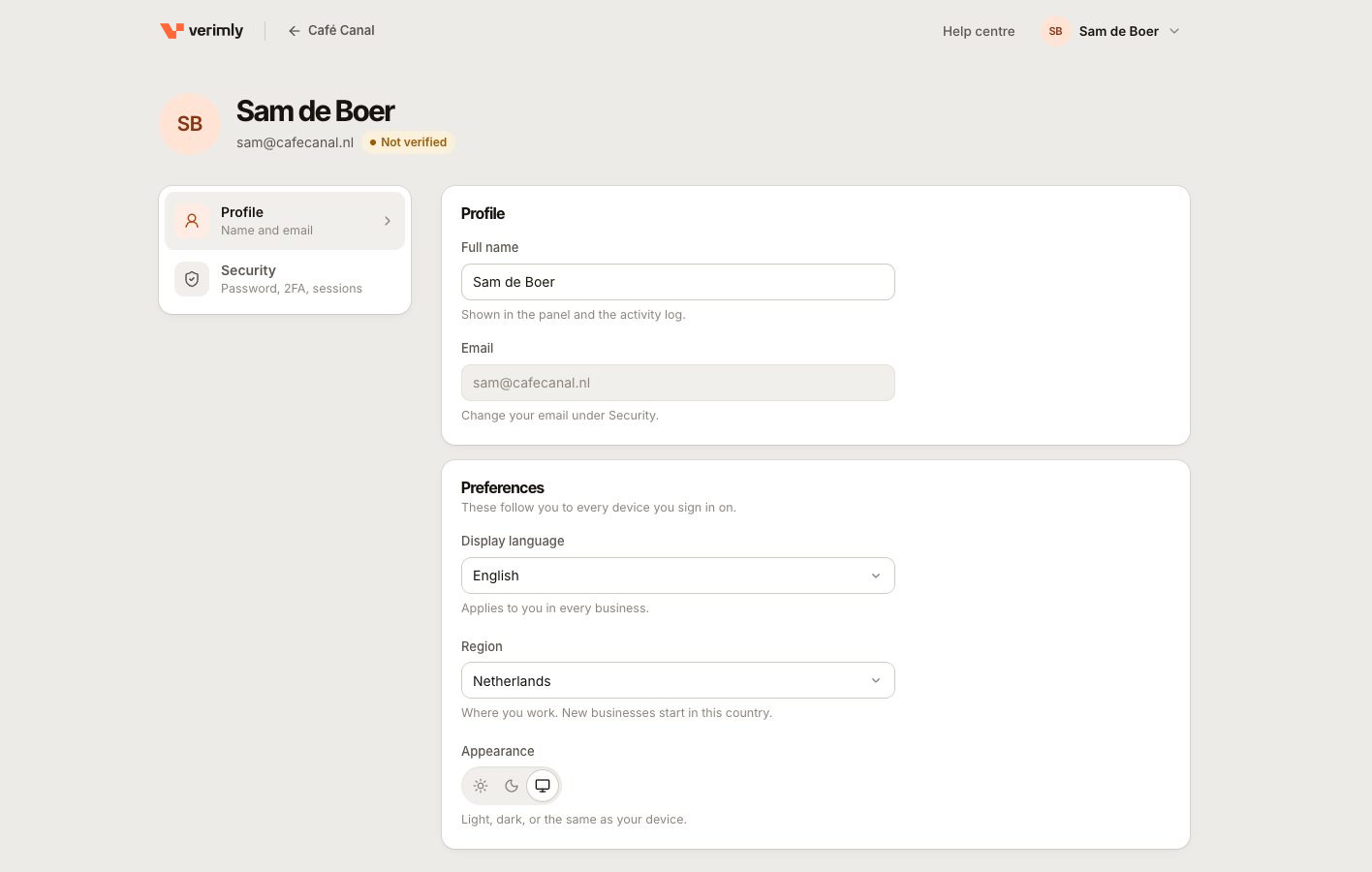
- Open your account menu and go to your account (Profile).
- Under Preferences, choose a Display language. Choose Business default to follow the business language.
Your language follows your account: it applies in every business you belong to and on every device you sign in on. Appearance (light, dark or the same as your device) and Region are set in the same place. There is no language switch in the menus; the setting lives on your account.
Change the language on the POS
On a till, go to More › Settings › Appearance, under Language.
- Staff with a Verimly account (for example, the owner or someone invited to the back office): the language follows your account. Changing it here changes it everywhere you sign in. Choose Business default to follow the business.
- Staff who only use a PIN: the choice applies to this device only. Automatic follows the business language, then the device language.
The theme works the same way.
The business default language
Go to Settings › General and set Default language. It is used:
- for staff who haven't picked a language themselves;
- for printed receipts, bills and kitchen tickets ("Receipts print in your business language").
The customer display shows its standard texts in the display device's language. Texts you write yourself, such as receipt footers or display messages, appear exactly as you wrote them.
Currency
All amounts are in euro. The Currency under Settings › General is "Fixed for now". The country you chose when you signed up set the currency, the starting VAT rates and the default time zone.
Changing Region under Settings › General doesn't change your VAT rates. Manage those under Settings › Taxes. See Tax rates.
Time zone
- The business has a default Time zone under Settings › General.
- Each location has its own Time zone under Settings › Locations (in More options). For that location, it takes priority.
Business days, reports and order numbers follow the location's time zone, together with its business-day cut-off. See When does the business day end?.
Common questions
Why are receipts in Dutch when my screen is in English?
Receipts print in the business default language, not the language of the person at the till. Change Default language under Settings › General.
A colleague sees the back office in another language. Can I change it for them?
No. The display language belongs to each person's account. They can change it in their own account preferences.
Can I show prices in another currency?
No. Verimly works in euro only.
I changed the time zone. Why did yesterday's sales not move?
Each order keeps the business day it was given when it was opened. The new time zone only applies to orders opened after the change.