Set up recipes so sales deduct stock
Link products to the stock items they use, per variant and per option, so every paid sale takes the right ingredients off your stock.
On this page
A recipe says which stock items one portion of a product uses. When the product is sold and paid, those amounts come off your stock. Recipes also show you what a product costs to make and how much gross profit it leaves.
Before you start
- You need the Inventory & recipes feature (Pro and Business) and at least one stock item. See Track your stock.
- Building recipes needs the Manage inventory permission.
- Products come from your menu. If you have none yet, add them first: see Add a product.
Build a recipe
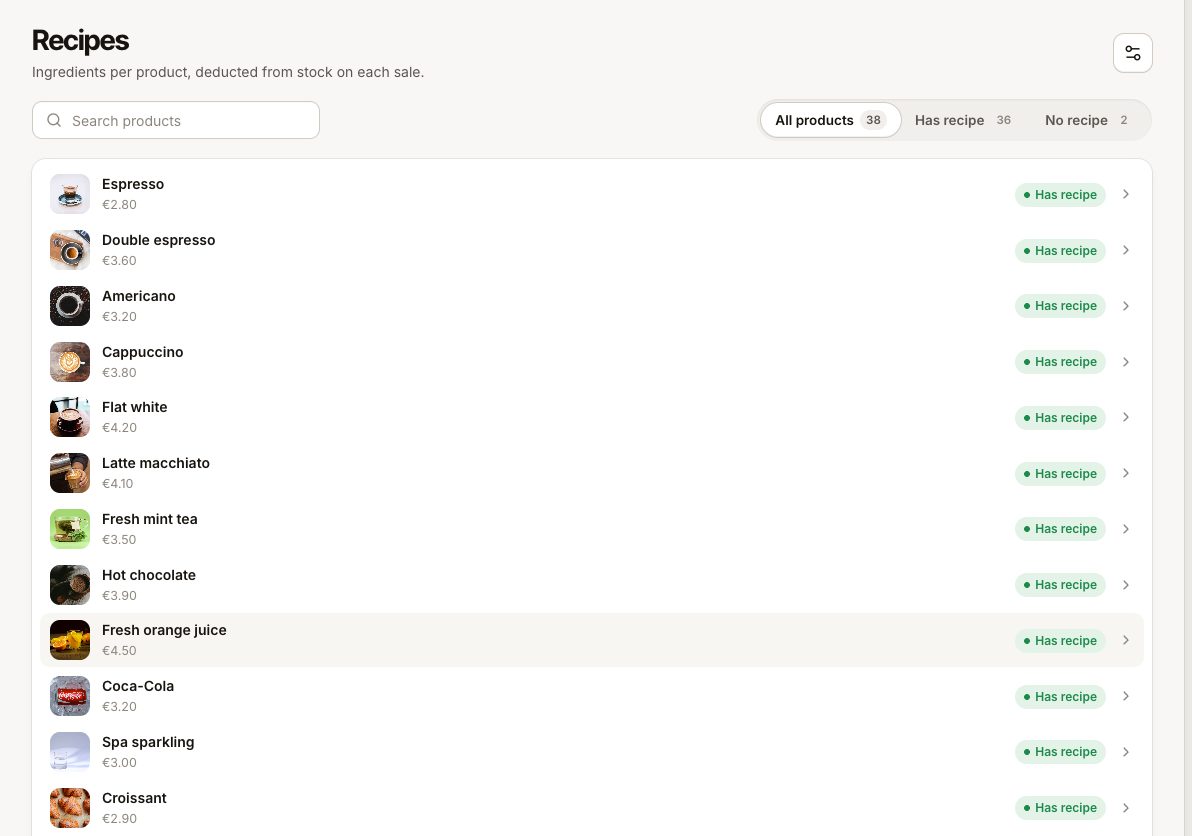
- Go to Inventory › Recipes. Every product is listed; the filter Recipe shows All products, Has recipe or No recipe.
- Select a product.
- Under Ingredients, select Add ingredient and pick a stock item from Select a stock item.
- Enter the Quantity for one portion, in the item's unit. A cappuccino might use 0.018 kg of coffee beans and 0.15 L of milk.
- Add the other ingredients the same way. Use Remove line to drop one.
- Select Save.
Below the ingredients you see the Estimated cost, the Sale price and the Gross profit. The cost is worked out from each stock item's unit cost, so it is only as accurate as those costs.
Products with variants
If a product has variants (small, medium, large), choose under Amounts per variant:
- Same for all variants: one recipe whatever is sold.
- Different per variant: an Every variant block for what every variant uses ("Used whatever variant is sold. Each variant below adds its own amounts."), plus a block per Variant with its own extra amounts.
For example, every coffee uses the same cup, so the cup goes under Every variant, while the milk goes under each variant with a different amount.
A line sold without a variant on a product that has variants counts as the default variant, so its recipe still deducts.
Options such as oat milk or extra cheese
Each ingredient line has Applies to: Every sale, or With an option of this product (for example "With Oat milk"). An option line is only used when the guest picks that option, and it is multiplied by how many of that option were chosen.
A latte normally has its milk under Every sale. If guests can choose between milks, put the regular milk on "With Whole milk" and the oat milk on "With Oat milk", so only the milk actually poured comes off.
Options are not included in the estimated cost shown on the recipe.
Sell a product as it is
For items you buy and sell unchanged, such as a bottle of water or a can of soda, create a stock item in Piece and give the product a recipe with 1 piece. Each sale then takes one off.
What happens when you sell
- Stock is deducted when the order is paid, at the order's location, as a Sale movement on each stock item.
- Lines given away On the house are deducted; voided lines are not.
- If a paid order is voided or reopened, the stock is returned as Void return.
- Changing a recipe only affects sales from then on. Earlier sales keep what they deducted.
The setting Deduct on sale in Settings › Inventory must be on for any of this to happen.
Common questions
Does a product need a recipe?
No. A product without a recipe sells normally; it just does not change stock.
Can two products share a stock item?
Yes. Any number of recipes can use the same item. The item's row in Inventory shows how many recipes use it.
What does the "Track stock" switch on a product do?
In the product form it marks the product as stock-tracked in your menu list. What is deducted on a sale comes from the recipe, so always set up the recipe.
If something goes wrong
- A sale took nothing off: check that the order was paid, the product has a recipe, and Deduct on sale is on.
- Too much or too little came off: check the quantity and unit of each line. 18 in a recipe for an item counted in Kilogram means 18 kg, not 18 g.
- An option did not deduct: the option line must be set to With that option on this product.
- The cost looks wrong: update the Unit cost of the stock items. See Track your stock.