Labour cost, pay rates and targets
Set what an hour of each person costs, set labour percentage targets and sales forecasts, and read labour cost against net sales.
On this page
The labour screens show what your team costs compared with what you sell. You enter an hourly cost per person, forecast sales for the week, set a target labour percentage, and Verimly compares the plan and the real hours against them. This is management reporting, not payroll.
Before you start
- The time clock is part of the Pro plan and must be switched on under Settings › Features.
- Money figures are hidden unless you have the right permission:
| To do this | You need |
|---|---|
| See pay rates and labour cost | See labour cost |
| Set pay rates | Set pay rates |
| Set forecasts and labour targets | Plan shifts and forecasts |
| See net sales on the forecast and labour screens | See labour cost, Plan shifts and forecasts or View reports |
Owners and managers have all of these; the Accountant role has See labour cost and View timesheets. See Roles and permissions.
Set pay rates
Open Time clock › Pay rates (Reports group), or Add pay rate on a person's page under Pay.
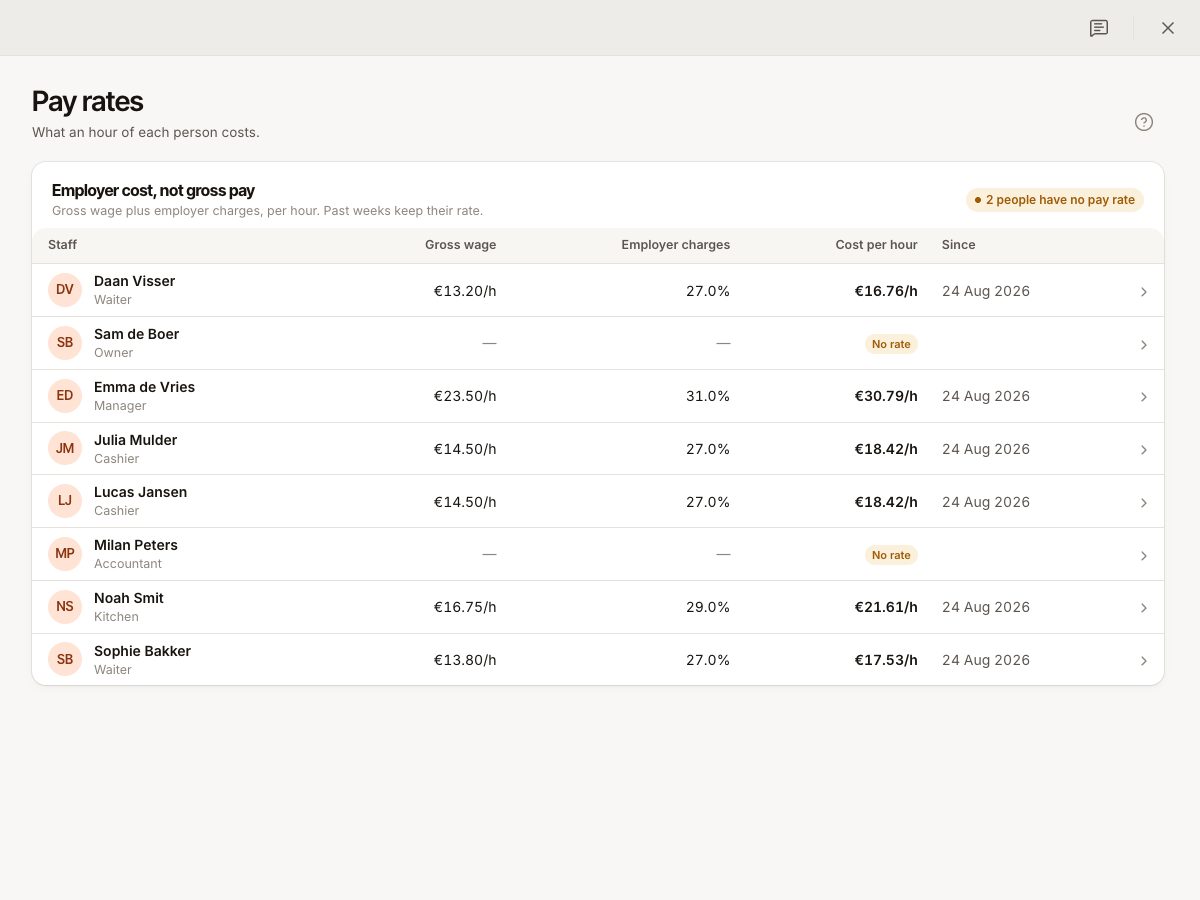
A pay rate is what an hour of the person costs you: "Gross wage plus employer charges, per hour." It is not their gross pay. Choose how to enter it:
- From gross wage: enter Gross hourly wage and Employer charges (a percentage on top). The Cost per hour is calculated.
- Cost per hour: enter everything one hour costs you.
Set Applies from. Past weeks keep the rate they had; the history lists every rate, and a rate that starts later shows as Upcoming. A missing rate shows No rate, and people without a rate are left out of labour cost. A banner counts them ("2 people have no pay rate") with Add pay rates.
Forecast sales
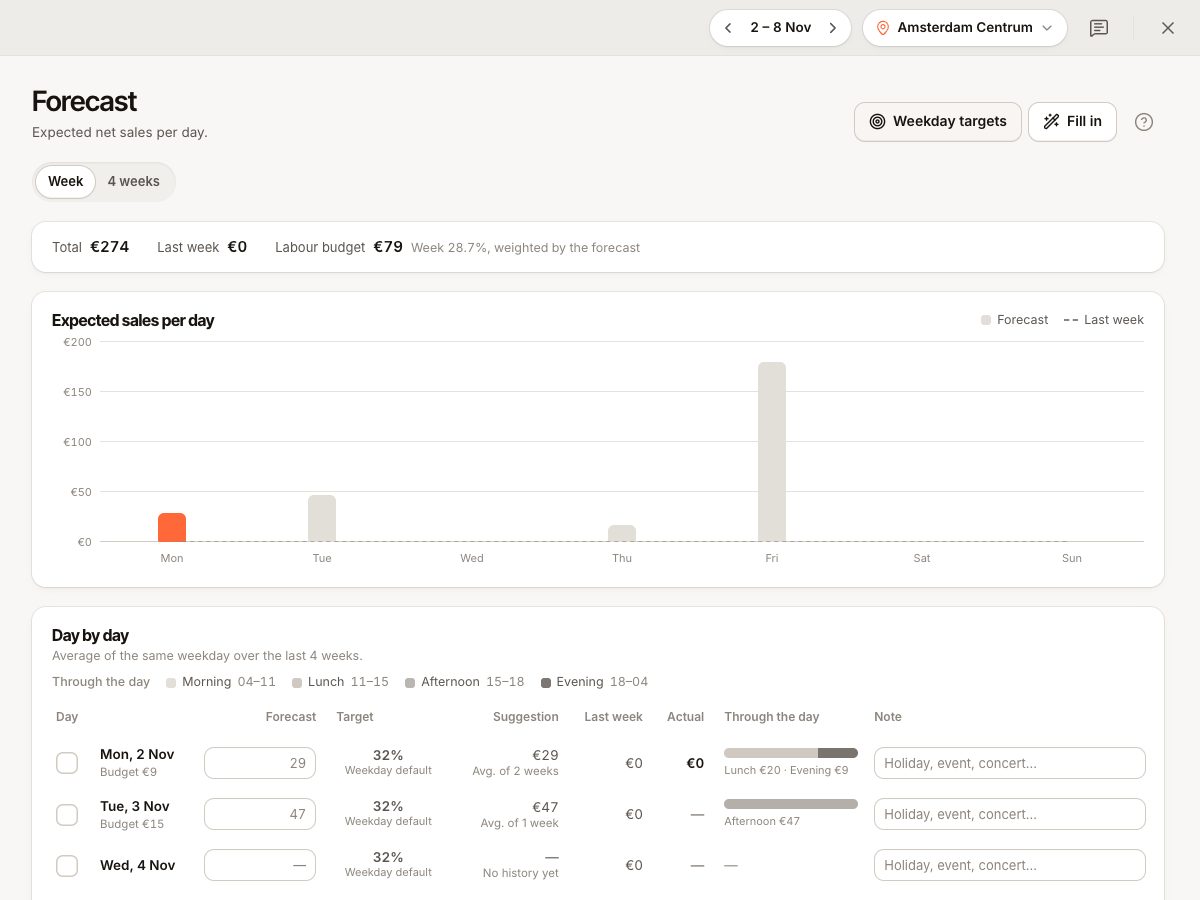
Open Time clock › Forecast (Plan group), per location. It shows expected net sales per day (excluding VAT).
- Each day has a Suggestion: the average of the same weekday over the last four weeks with sales. Days without history show "No history yet".
- Type your own Forecast, add a Note such as "Holiday, event, concert", or use Fill in: Apply suggestions, Copy last week or Adjust by %.
- Select Save forecast. You can also edit forecasts on the Schedule.
The forecast also shows last week and last year for comparison, and how sales usually spread over the day (morning, lunch, afternoon, evening).
Set labour targets
Select Targets on the Labour screen or Edit targets & forecast.
- Weekly target: labour cost as a share of net sales. Until you set one, plans are measured against 30%.
- Daily ceiling: leave empty to use the weekly target.
- Sales per labour hour: optional.
- Weekday targets set a default per weekday; a Target for a single date overrides it. You can also cap Max labour cost and Max hours per day.
Targets are per location. The Labour % on the schedule and Labour screen is coloured against your target.
Read the Labour screen
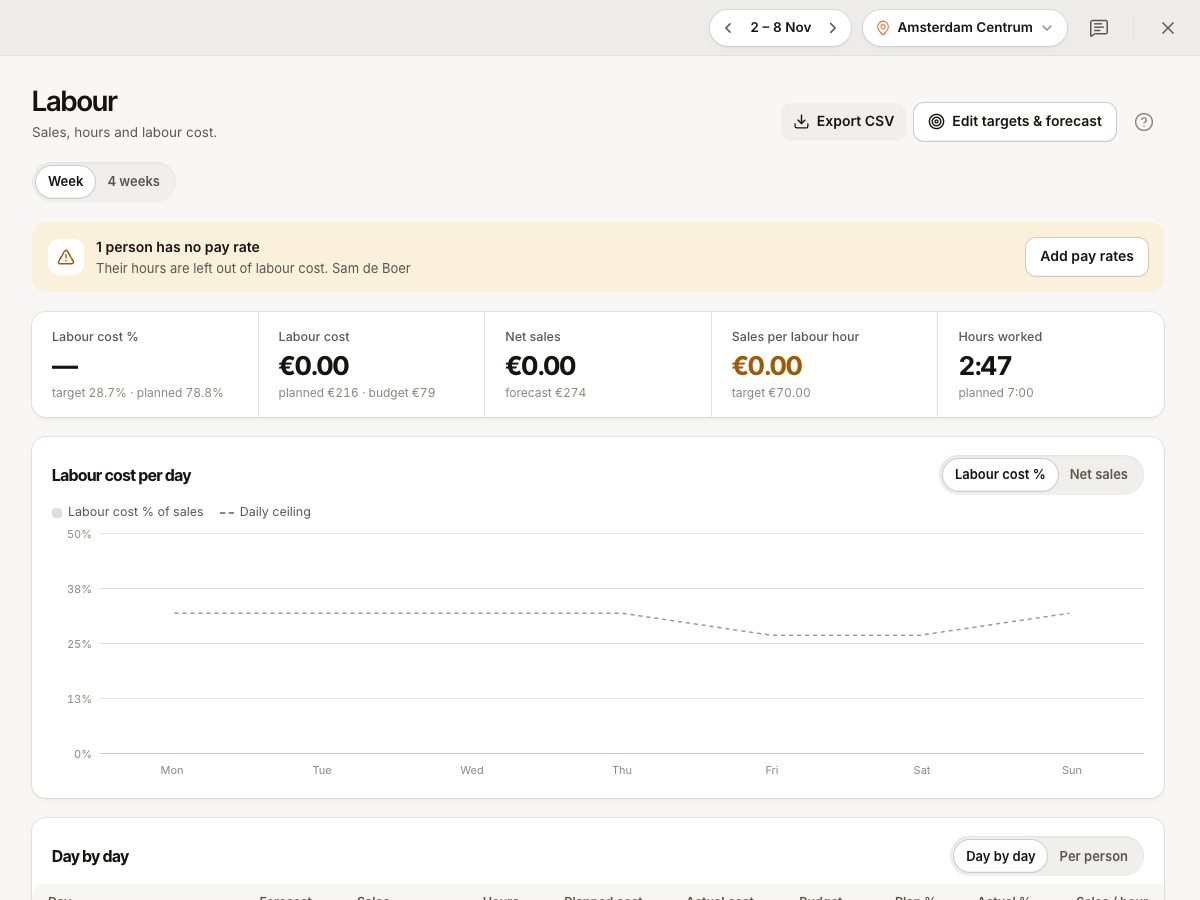
Open Time clock › Labour (Plan group), for one location and one week or four weeks. Export CSV saves the table.
| Figure | Meaning |
|---|---|
| Net sales | Actual sales after VAT |
| Labour cost | Hours worked times each person's hourly cost |
| Labour cost % | Labour cost as a share of net sales, against your target |
| Hours worked | Clocked hours |
| Sales per labour hour | Net sales divided by hours worked |
Day by day compares forecast and sales, planned hours and worked hours, planned cost and actual cost, plan % and actual %. Per person compares planned hours with the clock and shows attendance: late, no-shows and unplanned shifts. Hour by hour on the schedule shows staff on the floor next to sales.
Planned figures come from the schedule and actual figures from clock-ins. See Build and publish the schedule and Timesheets and payroll export.
Common questions
Are these figures my payroll cost?
No. Labour cost is hours times the hourly cost you entered. Real payroll, taxes and bonuses may differ.
Why is labour cost missing for one person?
They have no pay rate. Add one.
Why can I not see money?
Your role lacks See labour cost. Ask an owner.
Is a good labour percentage a fixed number?
No. The target field hints that restaurants often aim for 25 to 35%, but you set your own.
If something goes wrong
- "Enter an hourly cost, or a wage with employer charges." (
PAY_RATE_INVALID): fill one of the two modes. - "Enter a percentage between 0 and 100": fix the target.
- Forecast shows "Sales figures need a planning or reports permission.": you lack access to sales figures.
- Labour looks too low: check people without a pay rate and entries not yet clocked out.