Open the till
Start the day on a till by entering the starting cash, pick a numbered drawer if you use them, and fix the errors that can stop the till from opening.
On this page
Every till that takes cash starts the day by being opened. Opening records who started the day, when, and how much cash was in the drawer. From then on, every cash payment, refund and movement on that tablet is booked to this till, so the end-of-day count can tell you whether the cash adds up.
Before you start
- Open the till on the tablet that takes the payments. A till is always opened on the POS, never in the back office.
- The tablet must be set up as a till (a device that takes payments). Waiter devices take orders only; their payments are taken at the main till.
- Your role needs the Open the till permission. The Cashier role has it. Without it the POS says "You are not allowed to open the till. The shift lead should start the day."
- Card payments work without an open till. Cash payments and cash refunds need one ("Till closed. Open it to accept cash.").
Open the till without numbered drawers
This is the usual set-up: one tablet, one cash drawer.
- On the POS, open the Till tab. It shows Day not started.
- Tap Open till.
- Count the cash in the drawer and enter it as Starting cash. The POS suggests the amount left in the till at the last close, for example "Left in the till €150.00", adjusted for cash moved in or out while it was closed. Tap Suggested {amount} to use it, or Till is empty for zero.
- Tap Open the day.
The Till tab now shows Day open with the time and your name.
Open the till with numbered drawers
With the Cash drawers feature on, staff pick which physical drawer they are using. This lets several drawers be counted separately. See Set up cash drawers.
- On the Till tab, tap Open till.
- Under Drawer, tap your drawer. Each tile shows its state: - Free: ready to use. - Awaiting count: suspended without being counted. It cannot be used until it is counted. - A drawer open on another tablet is not available.
- Enter the Starting cash in that drawer. The POS shows when the drawer was last closed and what was left in it.
- Tap Open the day with drawer {drawer}.
Starting cash that differs from the suggestion
When the till or drawer was closed before, the starting cash you enter is compared with the suggestion. If it differs, a manager approves it: someone with Close other staff's tills opens straight away, anyone else is asked for a manager's PIN or can send the request to a manager on another till. The manager sees the starting cash, the suggestion and the difference. The back office shows both on the till's page under Cash › Counts.
The very first opening of a till or drawer has nothing to compare with and needs no approval.
A till waiting to be counted
Without numbered drawers the tablet is the drawer. If its till was suspended without being counted, that cash is still in it, so the tablet cannot open a new till until it is counted. Open till then shows Till waiting to be counted:
- Tap Count and close.
- Count the cash as at the end of the day. The same rules apply: a blind count, and a second count when the first doesn't match. Counting a colleague's till needs Close other staff's tills or a manager's PIN.
- Close the till, then tap Open till to start the day with what you left in the drawer.
With numbered drawers only that drawer is locked (Awaiting count); pick another drawer, or count it in the back office.
What happens next
- Cash payments on this tablet go to this till. The drawer opens on a cash payment if it is connected to a printer with Cash drawer attached to this printer on.
- The Till tab shows a Summary with the starting cash, cash sales and movements. Whether you see the expected amount depends on blind counting. See Set up cash drawers.
- Each tablet has its own till. Several tills can be open at the same location.
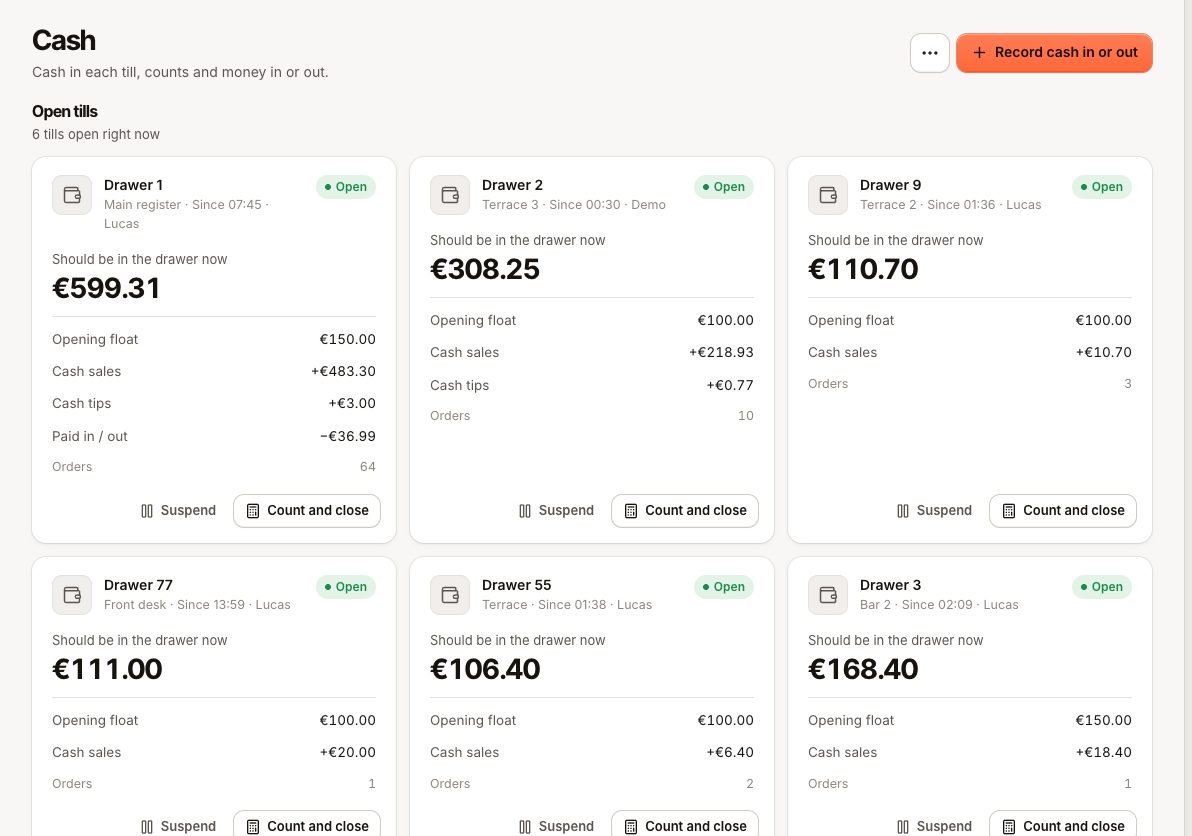
- Managers see open tills in the back office under Cash.
At the end of the day, count and close the till. See Close the till.
Common questions
Do I have to open the till if I only take card payments?
No, but cash payments and cash refunds are refused until you do.
The suggested amount is wrong
The suggestion is what was left in the drawer at the last close, plus or minus cash moved in or out while the till was closed. Always enter what you actually count. If it differs from the suggestion, a manager approves the starting cash before the till opens.
Can I open the till from the back office?
No. A till belongs to a tablet and is opened on it. The back office can count and close a till, or suspend a drawer.
If something goes wrong
| Code | Message | What to do |
|---|---|---|
CASH_DRAWER_CODE_REQUIRED | Enter a drawer number. | Numbered drawers are on: tap a drawer before opening. |
CASH_DRAWER_IN_USE | Drawer {code} is open on {device}. | That drawer is in use on another tablet. Pick another drawer, or close or suspend it on that tablet first. |
CASH_DRAWER_AWAITING_COUNT | Drawer {code} must be counted before it can be used again. | A manager counts it in the back office under Cash › Awaiting count. |
CASH_REGISTER_AWAITING_COUNT | The till of this terminal must be counted and closed before it can be opened again. | Tap Count and close on Open till, or count it in the back office under Cash › Awaiting count. |
CASH_DRAWER_UNKNOWN | There is no drawer with number {code}. | The drawer was removed or switched off. Check Cash › Cash drawers in the back office. |
CASH_SESSION_ALREADY_OPEN | A till session is already open on this device. | The till is already open. Go back to the Till tab. |
| This location has no cash drawers. Add one in the back office. | Numbered drawers are on but none exist. Add one, or turn the feature off. | |
CASH_SESSION_REQUIRED | Open the till before taking cash. | Open the till, or take the payment by card. |
If the till won't open on a tablet that should take payments, check under Settings › Devices that the device is a till, not a waiter device. See Device types.