Plans and what they include
What Starter, Pro and Business include, what they cost, the device limits on Starter, how to change plan, and what to do when you reach a limit.
On this page
Verimly has three plans. You pay per active location, and the plan decides which features you get and how many devices a location can have. Locations and staff accounts are never capped.
Before you start
- You need the Organization settings permission to see or change the plan. Owners have it. The default Manager role does not.
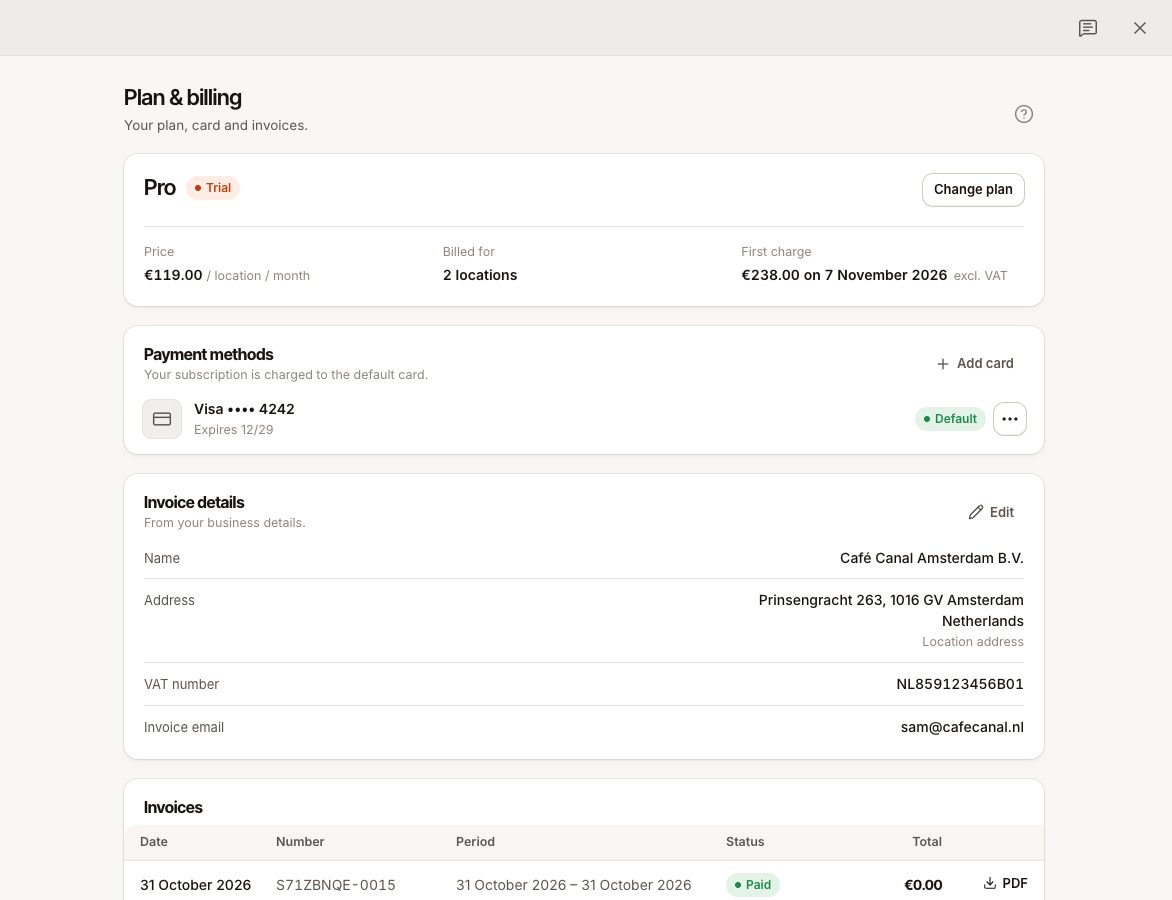
- Open Settings › Plan & billing. Change plan opens the plans side by side.
- Prices include VAT.
The plans
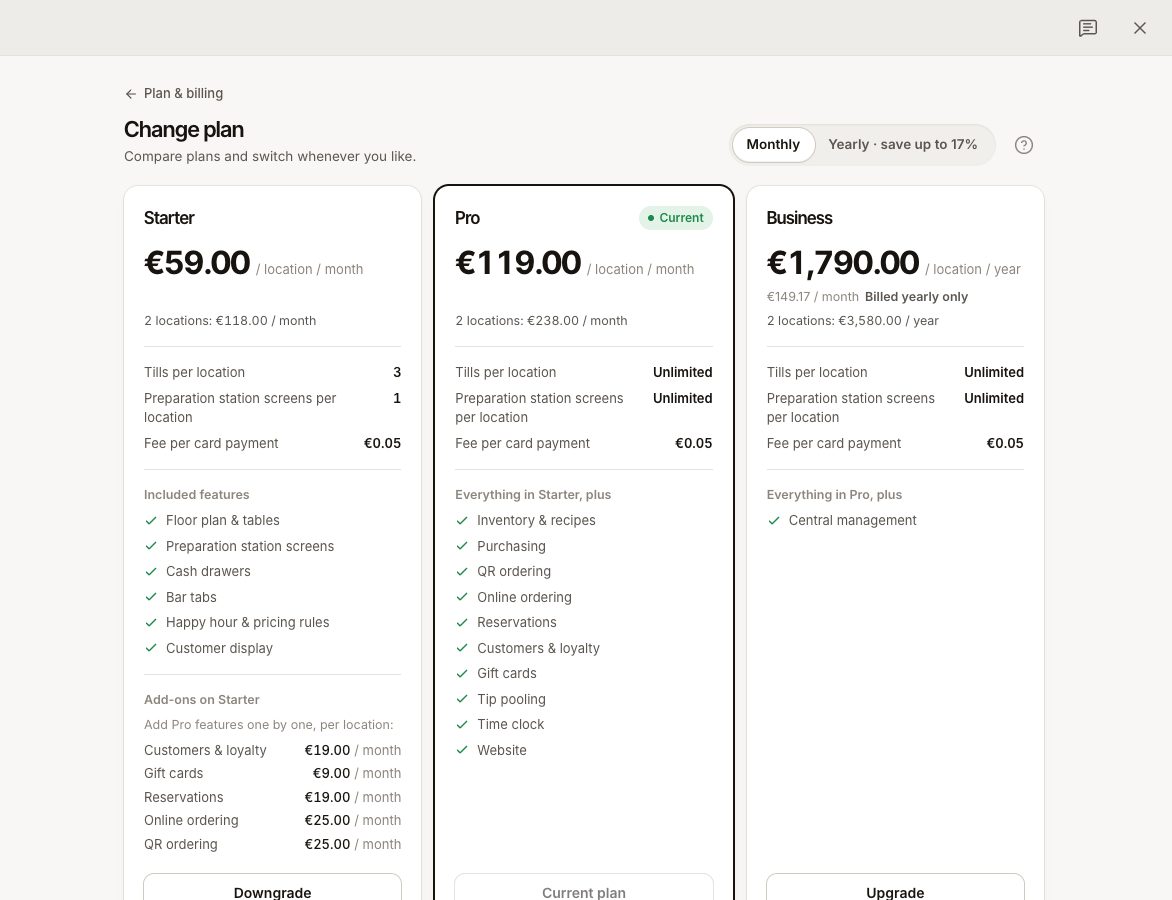
| Starter | Pro | Business | |
|---|---|---|---|
| Per location, per month | €59 | €119 | Sold yearly only |
| Per location, per year | €590 | €1,190 | €1,790 |
| Tills (POS) per location | 3 | Unlimited | Unlimited |
| Preparation station screens per location | 1 | Unlimited | Unlimited |
| Locations and staff | Not capped | Not capped | Not capped |
Yearly billing costs ten months instead of twelve. Business is only sold yearly.
What each plan includes
- Starter: the essentials. Menu, orders, payments, cash sessions, reports, staff and roles, plus Floor plan & tables, Preparation station screens, Cash drawers, Bar tabs, Happy hour & pricing rules and Customer display.
- Pro: everything in Starter, plus Inventory & recipes, Purchasing, QR ordering, Online ordering, Reservations, Customers & loyalty, Gift cards, Time clock, Tip pooling and Website (publishing).
- Business: everything in Pro, plus Central management: prices that differ per location, and a comparison of your locations.
On Starter you can buy five of the Pro features one at a time, see Starter add-ons. Time clock, tip pooling, inventory, purchasing and the website are not add-ons.
Each card payment also carries a small flat Verimly fee on every plan. See Fees on card payments.
How you are billed
- The price is per active location. A location you close with the Location open switch under Settings › Locations is no longer billed. You always pay for at least one. The plan page shows Billed for 3 locations, for example.
- Add or close a location and the subscription follows by itself.
- A new business starts with a 3-day free trial. You can add a card at the start or skip it and add it later. After the trial, the plan is charged every month or year. See Billing and what happens when it is not paid.
Device limits on Starter
A Starter location can have 3 tills and 1 preparation station screen. The limit is per location, and it counts devices that are paired or waiting to be paired. Customer displays do not count. Pro and Business have no limit.
The limit is checked when you add a device or bring a revoked one back. If you downgrade, nothing switches off. You can keep what you have, you just cannot add more.
Change plan
- Open Settings › Plan & billing and choose Change plan (or Choose a plan if you have no subscription yet).
- Choose Monthly or Yearly, then the plan: Upgrade, Downgrade, Switch to yearly or Switch to monthly.
- Read What changes. The unused time on your current plan is credited, and the new plan is charged for the rest of the period. You see Due now, or a Credit for your next invoices when nothing is charged now. A change of interval starts a new billing period today.
- Confirm with Switch plan. When something is due, the button shows the amount, for example Pay €42.00 and switch. The charge goes to your default card.
During a free trial the new plan applies right away, and your first charge stays on the date it was. If your bank asks you to confirm the payment (3-D Secure), the plan stays as it was until you do. If a payment fails, the plan does not change.
Moving from Starter to Pro or Business
Add-ons end, because the higher plan includes those features. Their unused time is credited.
Moving from Pro or Business to Starter
You choose which features to keep as add-ons under Keep as add-ons. Features you do not keep turn off. Their data is kept, so you get it back when you turn the feature on again. A published website goes offline, nothing is deleted. Devices over the Starter limit stay, see above.
Common questions
Can I pay for one location only?
You pay for every active location. Close a location you do not use.
Does the plan limit how many staff I can add?
No. Staff and locations are not capped.
Where do I cancel?
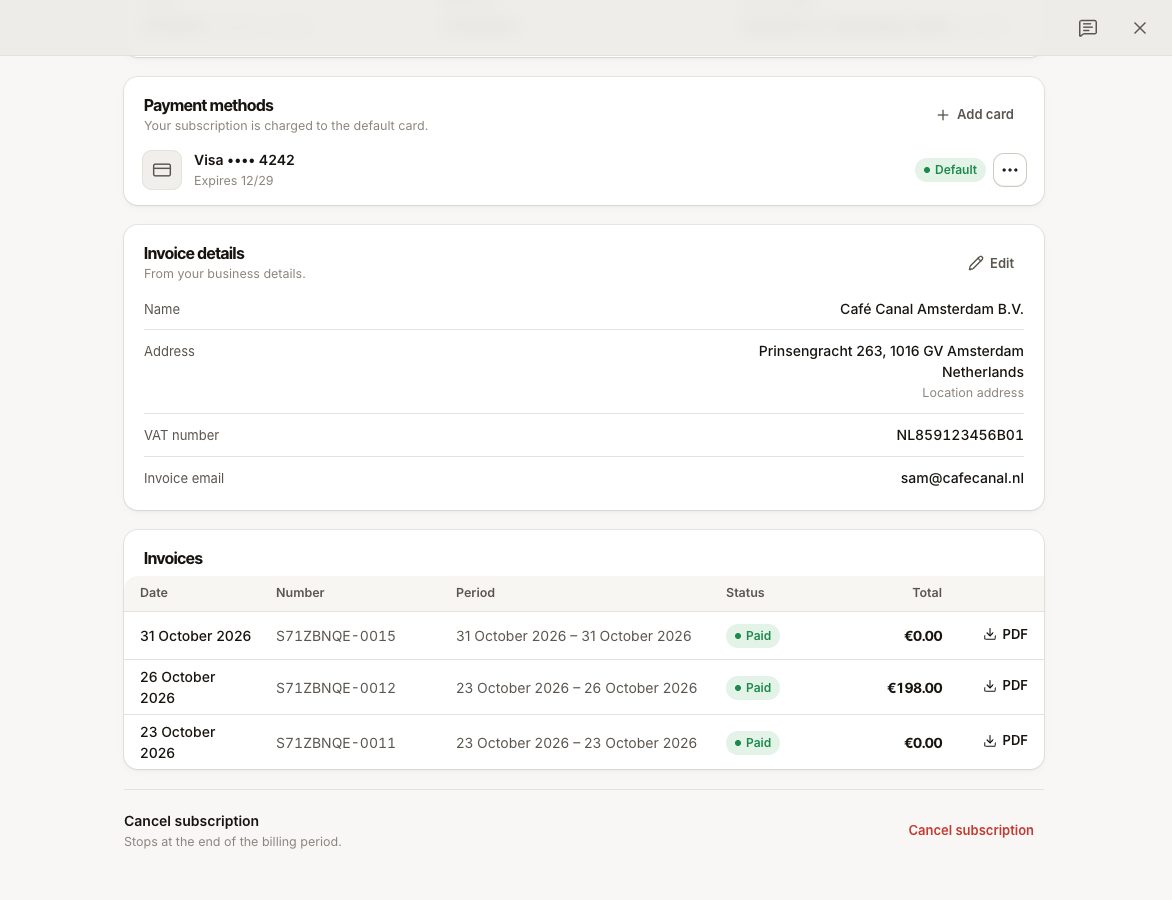
At the bottom of Settings › Plan & billing: Cancel subscription. See Invoices, cards and cancelling.
If something goes wrong
PLAN_LIMIT_REACHED
The message reads "Your plan allows 3 tills per location. Upgrade to add more." or "Your plan allows 1 preparation station screen per location. Upgrade to add more." It appears when you add or re-pair a device and that location already has the most its plan allows.
- Use a device you already have: open Devices and revoke one you no longer use at that location. A revoked device does not count. See Manage your devices.
- Or upgrade to Pro, which has no device limit.
- Check that you chose the right location: the limit is per location.
A feature is locked with "Needs Pro"
Your plan does not include it. Open Settings › Features to see the plan each feature needs, and Add for with a price where it can be an add-on.